NEW SafeSurf Silver and Gold, with a 7-day free trial

A safer internet for your children, wherever they go.

SafeSurf filters harmful sites on your children's devices, at home and on mobile data, and puts you in charge from your own phone. Schedules, activity and alerts are all included.

7-day free trial No ads Cancel any time in the App Store

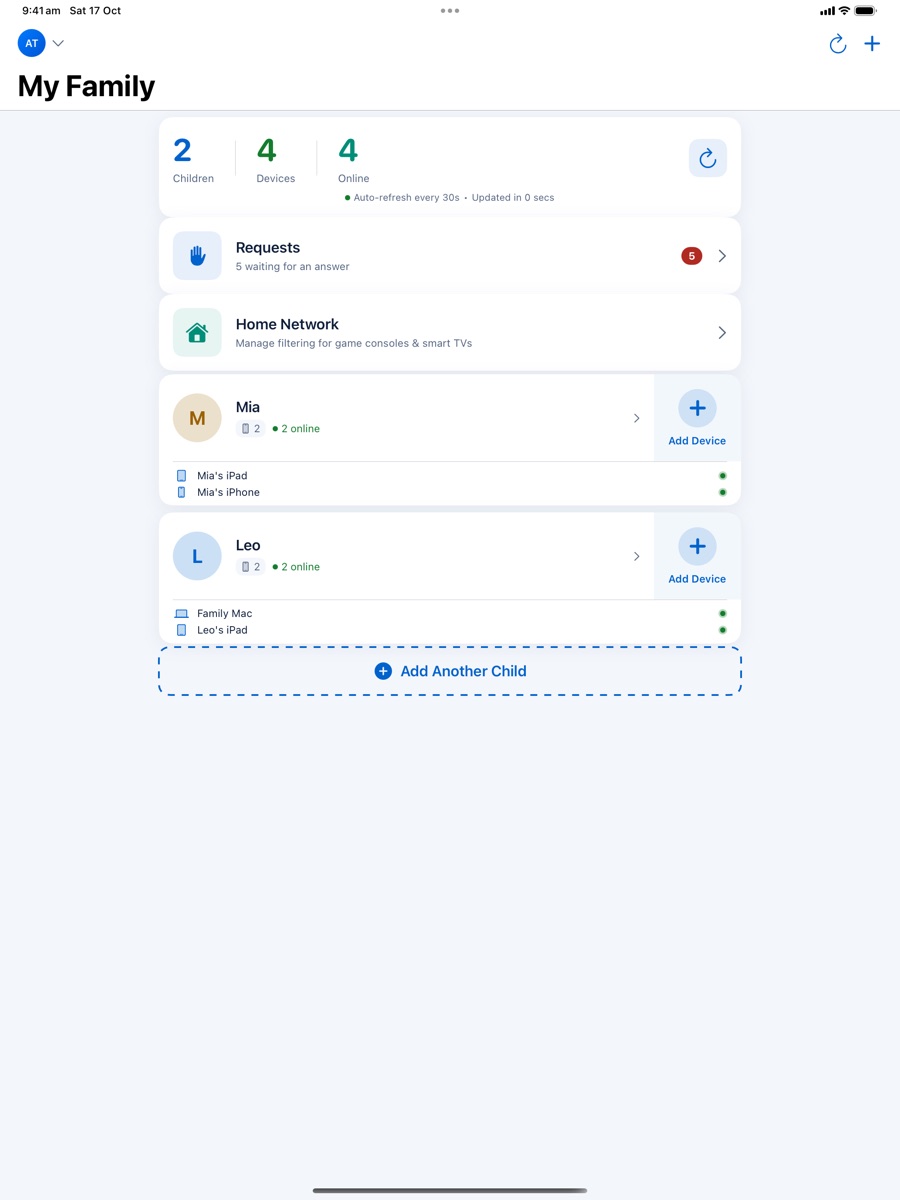
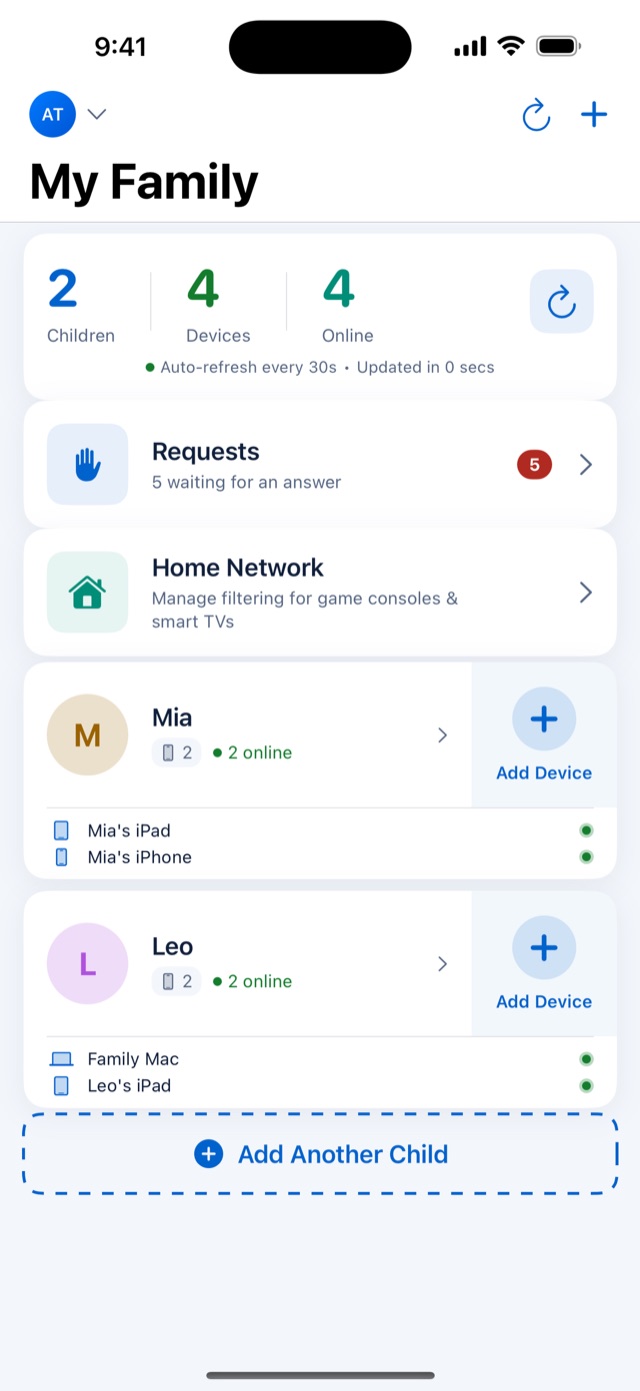
The SafeSurf parent app: a family with two children, their devices online and requests waiting
  • Home, school and awayFilters on Wi-Fi and mobile data, using encrypted DNS.
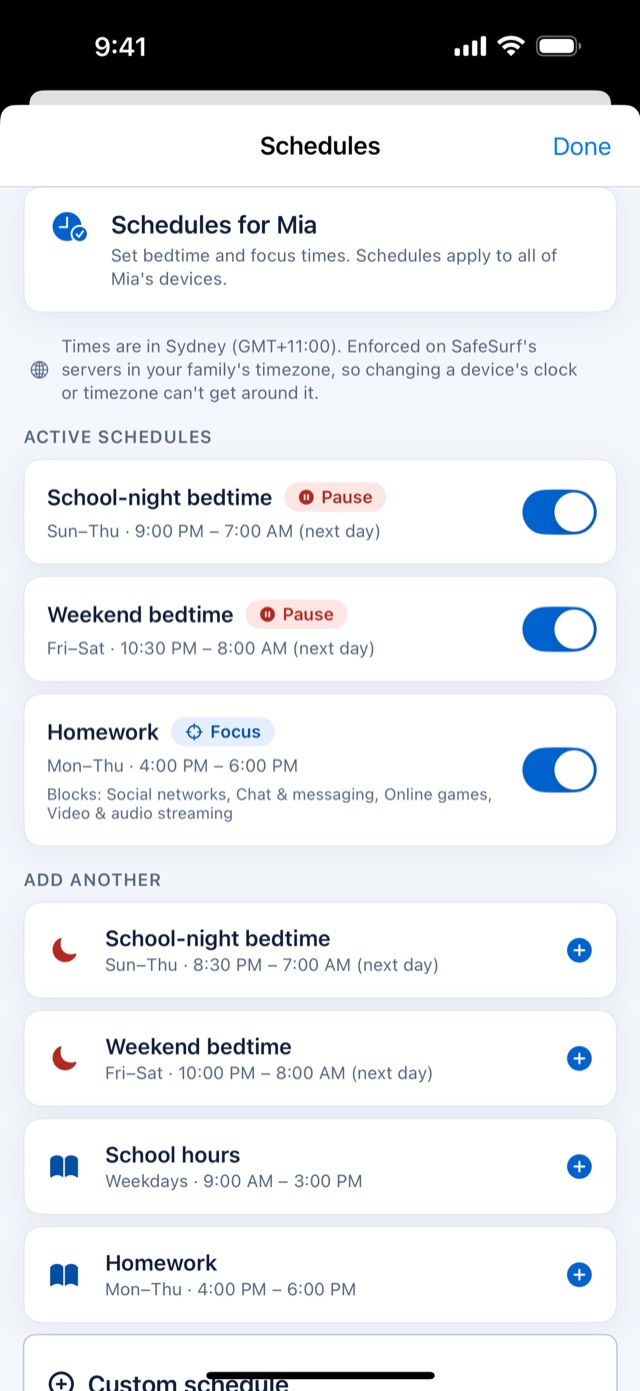
  • Schedules that stickBedtimes run on our servers, so changing the clock won't get around them.
  • Alerts if it's switched offYou'll know if protection stops on a child's device.
  • Private by designNo ads, and we never sell your family's data.
Features

Everything you need to keep them safe online

Set SafeSurf up once, then manage it all from your phone. Every feature is included in both plans.

Filtering that fits their age

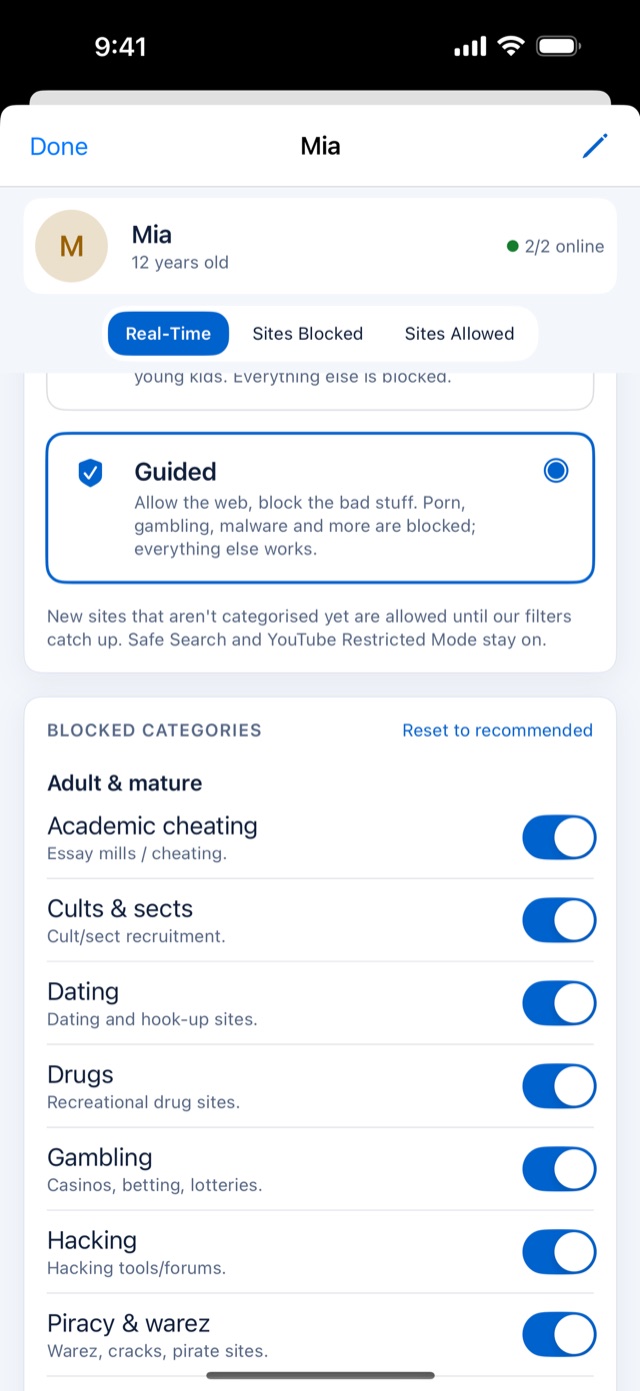
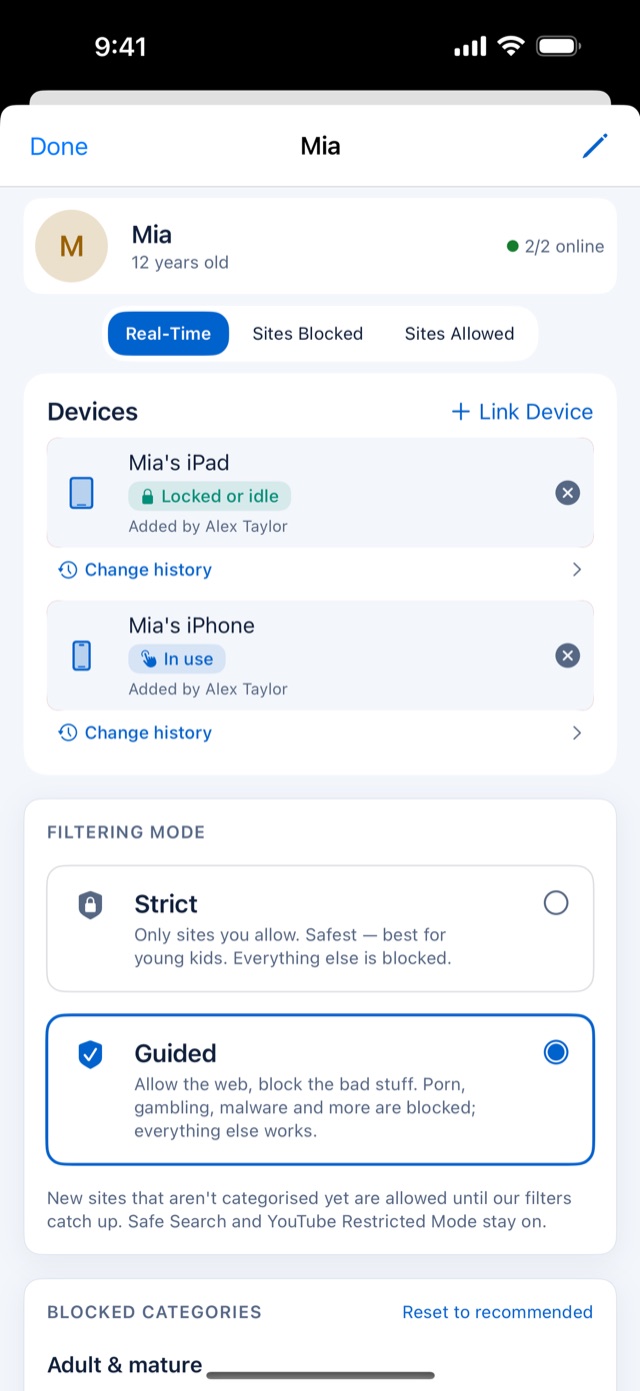
Guided mode allows the web except the categories you block. Strict mode allows only the sites you approve.

  • Adult content, gambling, malware and other categories you choose
  • Safe search on Google and Bing, and restricted mode on YouTube
  • Allow or block any site with one tap
Choosing which categories are blocked for a child

Bedtimes and homework time

Pause the internet at bedtime or block distractions during homework, for each child, on every device they use.

Bedtime and homework schedules for a child

See what's happening

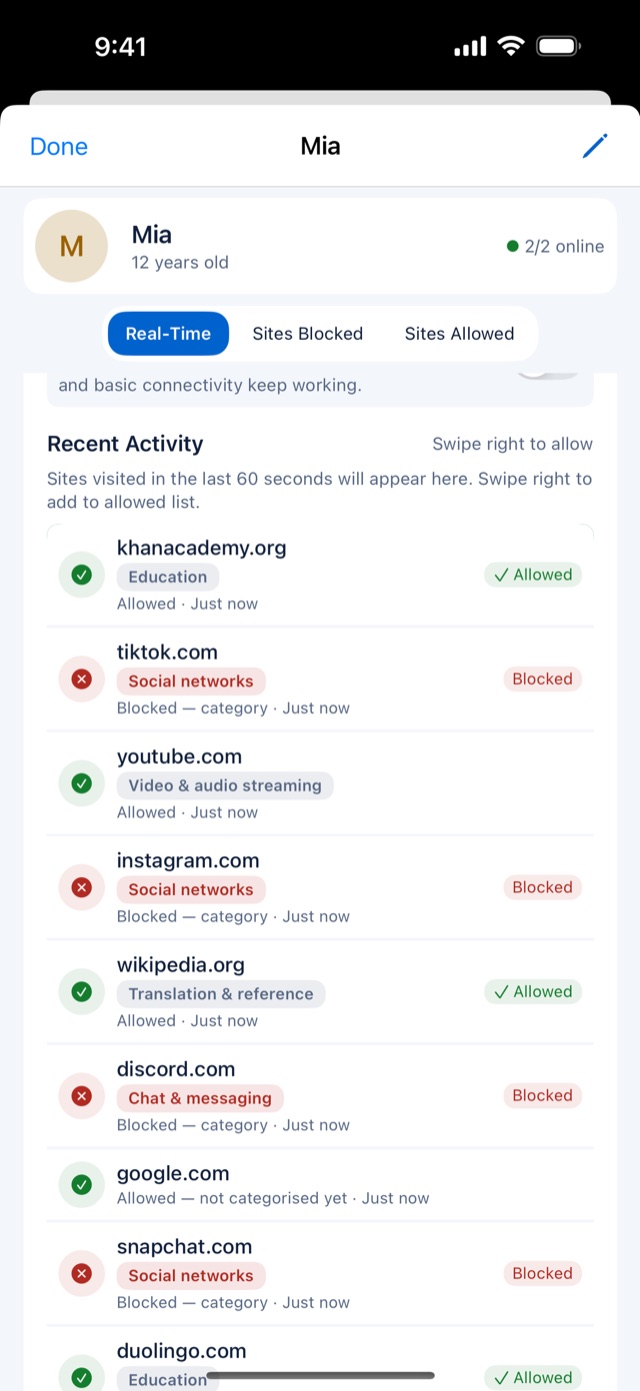
Recent activity and blocked sites for each child and each device, so you can talk about what matters.

A child's recent activity, with allowed and blocked sites

Ask a parent

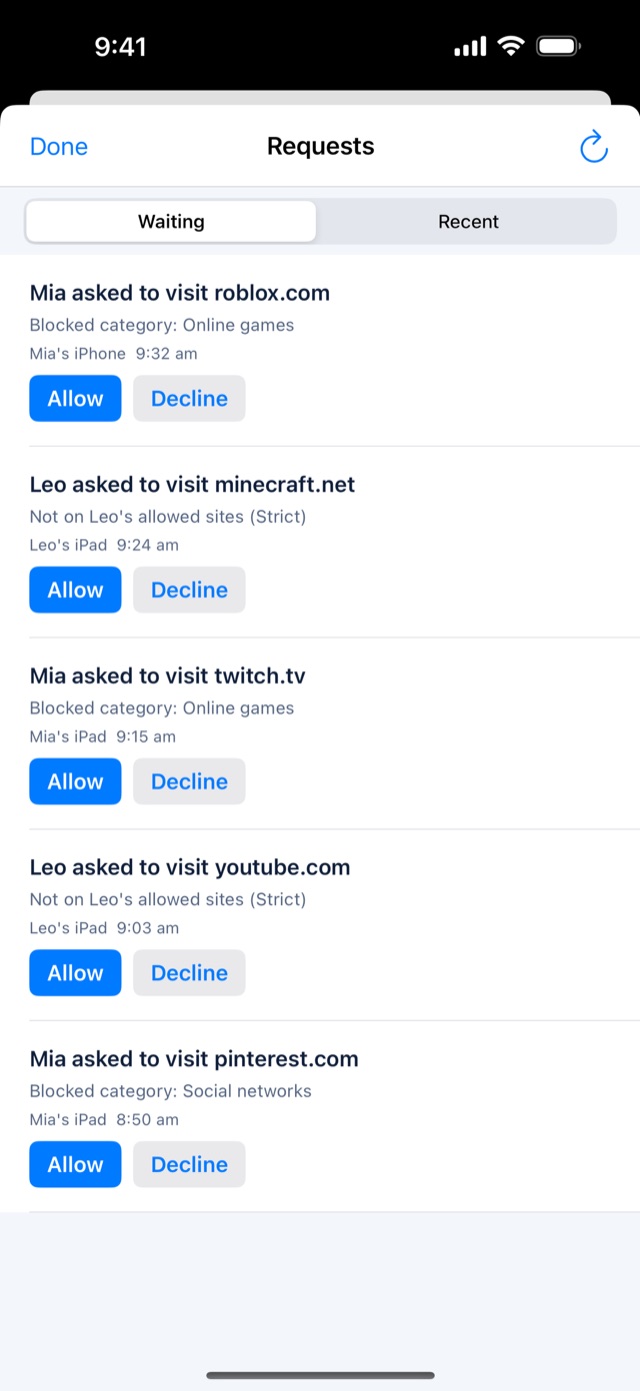
When a site is blocked, your child sees why and can ask you to allow it. You answer from your phone.

Requests from children asking to open blocked sites

Protection alerts

Get a message if SafeSurf is switched off on a child's device.

Co-parents included

Invite a co-parent and choose what each of you can manage.

Consoles and smart TVs

Protect your home network for devices that can't run the app.

How it works

Protected in three steps

It takes a few minutes and no technical knowledge.

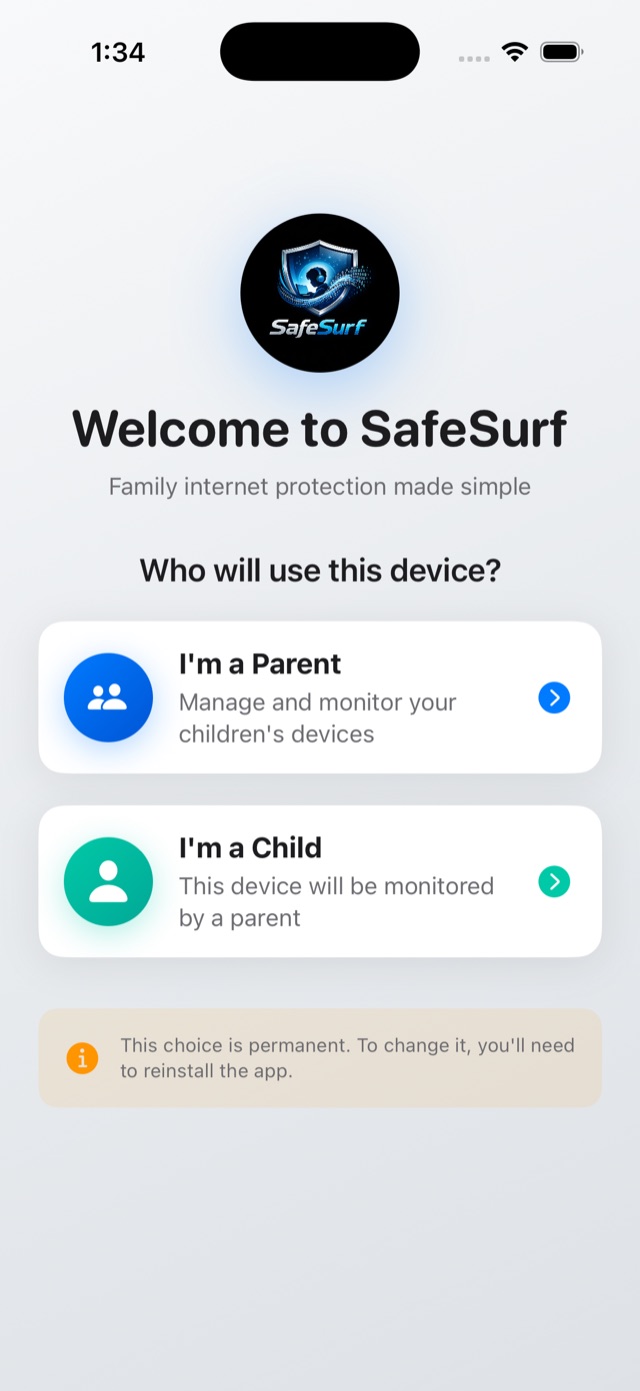
  1. Get SafeSurf on your phone

    Download SafeSurf from the App Store, create your parent account and start your 7-day free trial.

    The SafeSurf welcome screen: choose I'm a Parent or I'm a Child
  2. Add your children

    Create a profile for each child, choose Guided or Strict filtering, and set schedules that suit their age.

    A child's page in the parent app, with her iPhone and iPad
  3. Link their devices

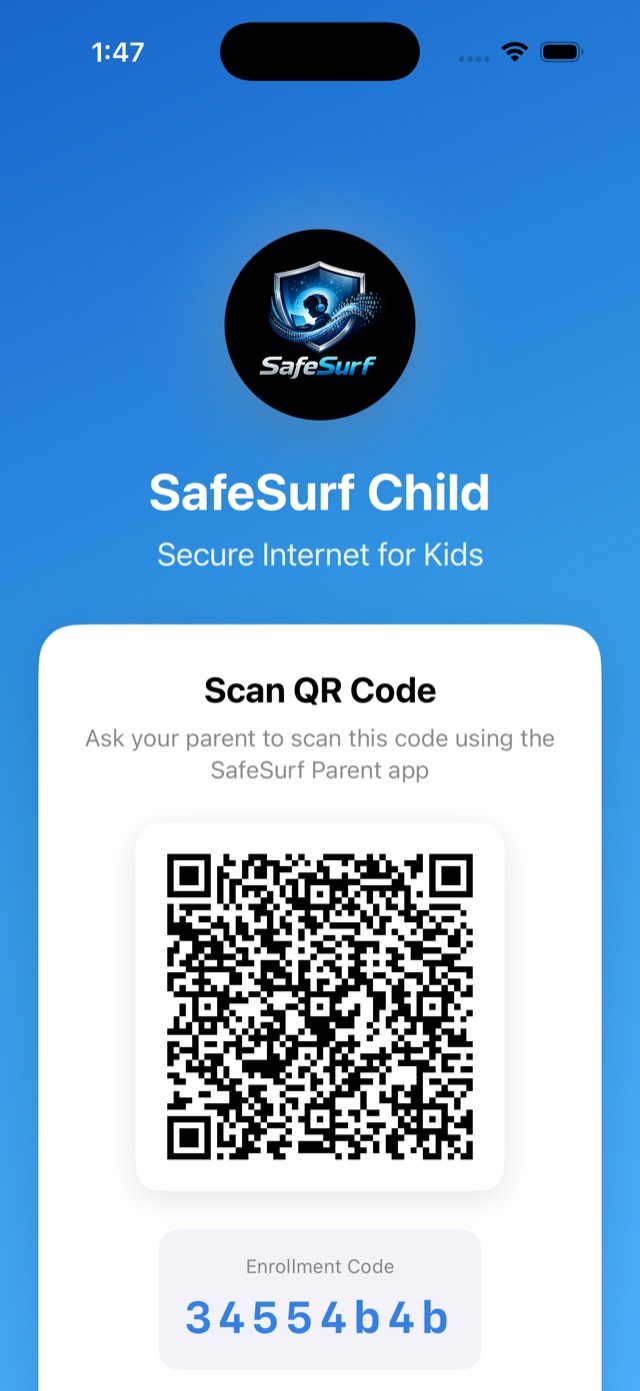
    Install SafeSurf on your child's iPhone or iPad and scan the code it shows with your phone. Protection starts straight away.

    A child's iPhone showing the QR code a parent scans to link it
Plans

Choose the plan that fits your family

Both plans include every feature and cover every parent in your family. Start with a 7-day free trial.

SafeSurf Silver

1 child · 1 device

For a first phone or tablet.

  • Every SafeSurf feature
  • All parents and co-parents included
  • Monthly or annual
  • 7-day free trial
Start your free trial
Whole family

SafeSurf Gold

Any number of children · up to 10 devices

For several children, and shared devices like the family iPad.

  • Every SafeSurf feature
  • All parents and co-parents included
  • Monthly or annual
  • 7-day free trial, or move up from Silver at any time
Start your free trial

The App Store shows the price in your currency before you subscribe. Devices are your children's devices and shared family devices; your home network doesn't count. Cancel any time in your App Store account settings.

Questions

Good to know

More answers in the Help centre, or email support@safesurf.live.

How does the free trial work?

New subscribers get 7 days free on SafeSurf Silver or Gold. Cancel at least 24 hours before the trial ends and you won't be charged; otherwise your subscription starts at the price the App Store showed you.

What counts as a device?

Each protected device in your family: your children's phones, tablets and computers, plus shared family devices. Your own phone, your co-parent's phone and your home network don't count.

Which devices does SafeSurf work on?

iPhone and iPad (iOS 16 or later) today. Apps for Android, Mac and Windows are coming soon. Game consoles and smart TVs can be protected through your home network.

Can my partner manage SafeSurf too?

Yes. Invite a co-parent from the app and choose what they can manage. One subscription covers every parent in the family, whichever of you subscribes.

What happens if I cancel?

Cancel any time in your App Store account settings. Your children's devices stay filtered for 14 days after the subscription ends, and we remind you before protection pauses.

Can SafeSurf read my children's messages?

No. SafeSurf works with website names (DNS), so it sees which sites a device looks up, never the content of pages, messages or photos.
Start today

Give them the internet, with you beside them.

Start your 7-day free trial of SafeSurf Silver or SafeSurf Gold. Setting up takes a few minutes.

Available for iPhone and iPadAndroid, Mac and Windows coming soon